Crawl Depth Optimization: Restructure Site Architecture for Complete Indexing
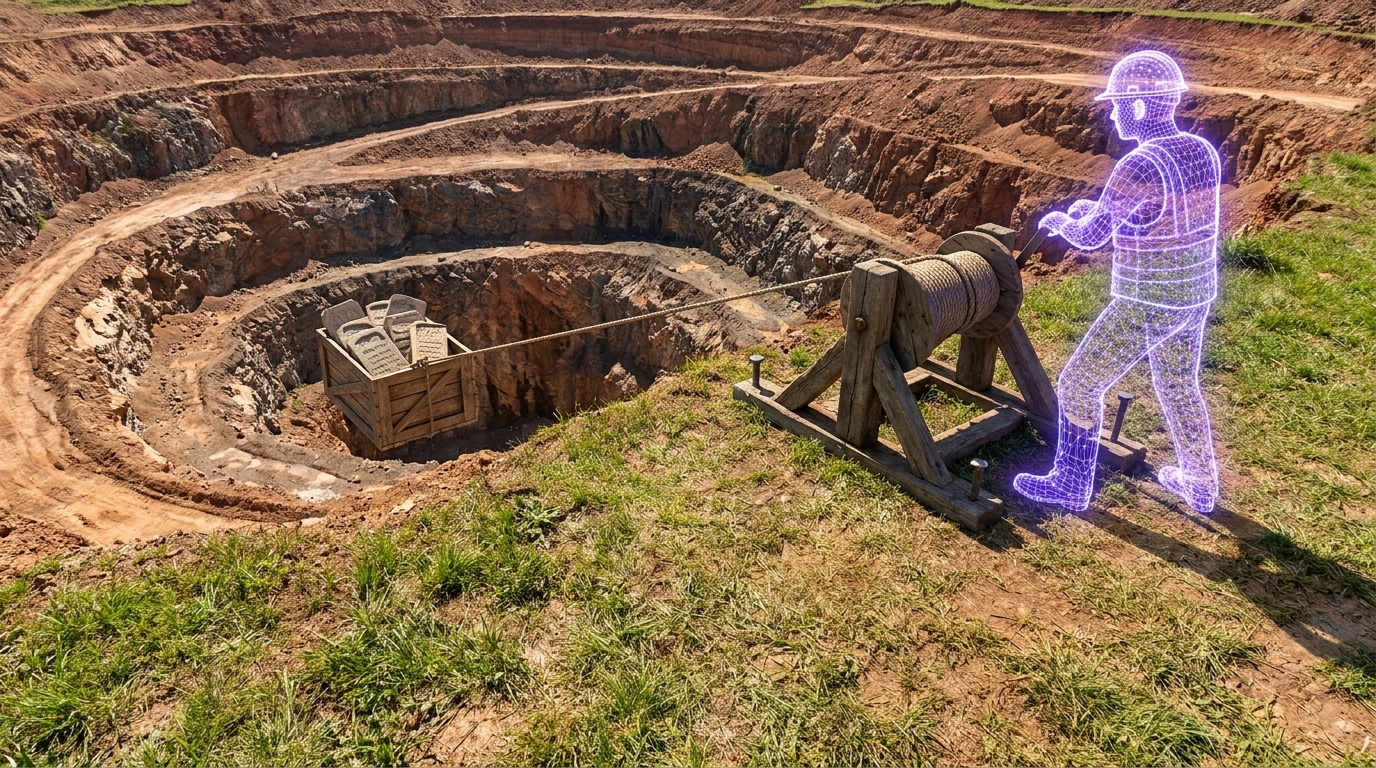
If your highest-margin product page sits twelve clicks deep, search engine bots will simply turn around and leave before finding it. Crawl depth optimization flattens your architecture so bots can discover and index all critical pages efficiently. It prevents wasted crawl budget on parameter bloat and ensures improved visibility for deep content. This discipline goes far beyond basic internal linking; it requires active curation of how bots navigate large-scale domain structures.
When deep, revenue-generating product pages fail to surface, the business consequences hit immediately. A buried page doesn't just rank poorly—it ceases to exist in the index entirely. Search engines allocate a finite amount of time to evaluate your domain. If they exhaust that allocation navigating endless paginated strings or disorganized subcategories, your highest-value inventory remains invisible to potential buyers.
We've seen this exact pattern repeatedly during enterprise scaling efforts. You write the content, publish the product, and wait for traffic that never arrives. Resolving this bottleneck means abandoning accidental, sprawling hierarchies in favor of intentional, hub-based navigation. What follows is a strategic guide detailing six critical phases of architecture restructuring to reclaim your organic visibility.
Approach this as a true site architecture restructuring project, rather than a surface-level fix, to ensure your most valuable pages actually make it into the search index.
Quick Takeaways
- Crawl depth optimization physically flattens a website's internal architecture, ensuring search engine bots can efficiently discover and index deeply nested, high-value pages before exhausting their crawl budget.
- Do not confuse visual click depth with raw HTTP crawl depth; pages sitting four or more hops away from the root are crawled up to 50% less frequently, directly suppressing organic revenue.
- Aggressively prune URL parameter bloat using strategic server-side directives, as endless variations of faceted filters can waste up to 70% of an enterprise site's crawl capacity.
- Over 80% of generative AI citations rely on deep, nested pages, meaning a blocked or disorganized architecture will entirely erase your brand from modern AI search visibility.
- Abandon linear category silos and transition to a horizontal, hub-based model utilizing meticulously structured mega-menus to instantly compress your architecture and consolidate internal link equity.
- Combat extreme pagination depth in massive e-commerce catalogs by expanding items per page, utilizing history API routing for load-more buttons, and creating lateral, attribute-based sorting hubs.
Defining crawl depth and crawl budget
Click depth versus crawl efficiency
Most teams aim to keep important web pages accessible within three clicks from the homepage, but click depth and crawl depth measure two different realities. Click depth tracks the user's journey through visual navigation elements. Crawl depth measures the raw HTTP hops a bot makes through the underlying code. You might have a visual search bar that gets a user to a product in one click, but if the bot has to crawl through seven paginated category links to find that same HTML document, the page sits at depth seven. The consequences are measurable. Pages with a crawl depth of four or more are crawled up to 50% less frequently than pages sitting at depth one or two.
Balancing limit and demand
There are limits to how much time Google can spend crawling any single site. The amount of time and resources devoted to crawling a site is commonly called the site's crawl budget. This budget comprises two distinct components: crawl limit and crawl demand. The limit is the maximum capacity the server can handle without degrading the user experience, while demand dictates how much the search engine actually wants to crawl based on perceived staleness and popularity. Crawl budget management becomes a critical concern for large websites with 10,000 pages or more. When an e-commerce website expands its inventory rapidly, the sheer influx of new URLs strains this delicate balance. Search engine bots frequently abandon the crawl before they ever reach the new critical categories.
How authority dictates allocation
The number of pages that bots crawl is roughly proportional to your PageRank and overall domain authority. High authority buys you a larger allowance. But a massive allowance doesn't guarantee efficient routing. The technical execution of your site architecture dictates how that budget is spent. If your foundation is solid, the budget scales. Fundamental crawl optimization principles, such as improving site speed and flattening the link structure, have helped sites increase their daily crawl budget tenfold over a two-year period. You earn the right to be crawled deeper by proving the journey is fast and efficient.
SEO impact and AI search visibility
The cost of buried inventory
Deep site architecture suppresses indexing rates for high-value pages. On average, 9% of valuable deep content pages fail to get indexed by search engines due to crawl depth and related site architecture issues. When hundreds of high-quality product pages are completely missing from search results, it creates immense frustration for technical SEO managers.
The content on these pages is perfectly optimized, the imagery is crisp, and the schema markup is flawless. But because the page sits five layers deep in a linear taxonomy, the bots simply never arrive. The content investment yields absolutely nothing. In an enterprise environment, a 9% drop in indexed inventory directly correlates to millions of dollars in unrealized organic revenue. The gap between a high-performing site and an underperforming one is almost always structural, not qualitative.
Wasting the crawl allowance
Parameter bloat is the fastest way to suppress indexing rates and squander allocated crawl capacity. Instead of evaluating core products, bots get trapped in infinite loops of faceted navigation. They spend their time rendering sorting variations—like a price-low-to-high URL appending a simple parameter—instead of discovering fresh inventory.
Parameter bloat forces the search engine to exhaust its computational resources on duplicate content while ignoring the pages that actually drive business value. When an architecture is too deep, the bot prioritizes the shallowest pages. If those shallow pages are just dynamic filter combinations, the bot leaves before seeing the actual products.
AI citations require unhindered access
An accurate evaluation of how site structure affects modern discovery mechanisms requires looking beyond traditional search engines. If conventional crawlers can't easily find deep pages, AI search engines and large language models will also fail to cite the brand in generative responses.
Deep pages actually dominate AI citations rather than suffering from poor visibility. Currently, 82.5% of AI citations link to deep, nested pages instead of high-level homepages. Generative models crave specific, granular answers found deep within site taxonomies. Platforms like Semrush now track this AI search visibility across major engines, including ChatGPT, Perplexity, and Gemini.
If your architecture blocks the crawler, you aren't just losing blue links on a traditional SERP. You lose visibility in the generative AI landscape. These models rely heavily on continuous web crawling to update their knowledge bases. A flattened, highly accessible architecture ensures that when the AI scraper arrives, it finds the specific, deep-level data it needs to formulate a citation.
Site architecture and hierarchy principles
Transitioning to a flat, hub-based model
To move past the generic three-click rule, you need large-scale flattening tactics using dedicated category hubs. A deep, linear structure forces users and bots down a narrow, sequential path, artificially inflating the depth of every subsequent page. Imagine clicking through a path like Home > Mens > Shoes > Athletic > Running > Trail. That linear journey buries the final product.
The shift to a flat, hub-based architecture relies on strong internal linking to bridge disparate silos.
This kind of internal link efficiency consolidates authority and distributes it evenly to the deeper pages that need it most. We've watched teams implement expansive mega-menus and dedicated topic hubs, transforming a vertical ladder into a horizontal web. A mega-menu exposes deeper subcategories directly from the homepage, instantly stripping three clicks out of the crawl path. The relief is palpable when this new architecture begins to logically connect previously orphaned pages, forcing more frequent indexing through improved internal link equity.
A mega-menu flattens a deep architecture, but it requires a methodical approach—you can't just pile links into a dropdown. We've found that rolling out a structured mega-menu involves three distinct phases. First, audit the existing taxonomy to identify the most heavily trafficked category hubs and the most frequently orphaned child pages. Prioritize bridging the gap between those two extremes so your highest-value inventory is never more than a click or two away from the homepage.
Second, group the isolated child pages under top-level parent categories using clear, descriptive anchor text. Avoid generic labels like "Products" or "Services," which offer zero context. Instead, use specific terms that map directly to user search intent. This approach gives search bots explicit signals about the destination page's topic. For instance, an electronics retailer shouldn't just link to a broad "Televisions" page; the mega-menu should expose sub-categories like "OLED TVs," "4K Monitors," and "Home Theater Systems" right from the global navigation bar.
Third, implement the mega-menu using clean, lightweight HTML and CSS. Avoid relying on complex client-side JavaScript to render the links. If the bot has to execute a script just to reveal the menu structure, you defeat the purpose of flattening the crawl path entirely. The links must exist within the raw DOM upon the initial page load. When executed correctly, we've seen this exact mega-menu deployment shift thousands of deep URLs from a depth of six to a depth of two. This structural compression dramatically accelerates the rate at which bots discover, crawl, and index fresh inventory, fundamentally repairing the site's organic foundation.
Taming massive e-commerce catalogs
Large-scale catalogs present a unique structural hazard: pagination depth constraints.
If you ignore this specific challenge, hundreds of products get stranded just beyond the crawler's reach. When a category hub contains 400 products displayed 20 at a time, the 20th page sits effectively 20 clicks away from the category root. Search bots rarely endure that slog. By the time they reach page five, the perceived value of the linked URLs drops to zero.
We recommend fundamentally rethinking how products surface to mitigate this constraint. You can implement load-more buttons configured with proper history API routing so the bot sees static links. You can expand the number of items per page—moving from 20 to 100 items—to instantly reduce the total paginated states. Alternatively, you can rely on secondary sorting hubs that group items logically by attribute, effectively breaking a 400-item list into four distinct 100-item hubs. The goal is lateral spread, not vertical depth.
The architecture restructuring workflow
An enterprise domain requires a systematic restructuring approach to avoid breaking existing link equity. You can't just reorganize URLs without a comprehensive mapping strategy.
- Run a cloud-based crawl to map every page sitting beyond a depth of three, exporting this list to isolate the exact products suffering from poor crawl priority.
- Cross-reference your raw crawl data against server logs to find active but unlinked URLs that require immediate integration into a hub.
- Group related deep pages under broad, high-level topic centers that distribute link equity to the child pages beneath them.
- Implement a comprehensive top-level navigation bar that links directly to every major hub to flatten the majority of the site architecture.
- Increase the item count per page and add internal cross-links between paginated series to shorten the crawl path.
- Track the 'Discovered - currently not indexed' status in Google Search Console to confirm the new architecture forces bot traversal.
This sequence turns a chaotic, deep domain into a parsed map. It replaces guesswork with a rigid framework that guarantees bot access. Our take: the technical execution of this workflow matters far more than the content quality of the individual pages. If they can't find it, they can't rank it.
Crawl budget management
Eliminating parameter bloat
Websites lacking proper crawl directives often waste an average of 30% to 40% of their crawl budget on faceted navigation and URL parameters. On large enterprise websites, this wasted crawl capacity can reach 70%. When an e-commerce site scales rapidly past the 10,000-page mark, the filtering tools begin to generate millions of distinct, nearly identical URLs. Every time a user clicks a size, color, and price filter, a new URL string is born.
These endless URL strings cause search bots to abandon the site before reaching the core products. The bot gets stuck in the filter matrix, endlessly discovering variations of the exact same category page. A high-leverage optimization you can run on a sprawling domain is identifying and systematically eliminating this URL parameter bloat. You have to actively prune the branches so the bot focuses on the trunk.
Strategic directives and constraints
Controlling the bot requires aggressive, intentional directives. Canonical tags are highly effective for consolidating ranking signals, but they do not prevent crawling. A search bot still has to fetch the duplicate page just to read the canonical tag. To restrict bot access to low-value query strings, you must apply strategic directives at the server level.
We usually start with blocking the parameters entirely in the robots.txt file once we confirm they offer zero organic value. If the parameterized pages are already deeply indexed, deploying a noindex meta robots directive temporarily allows the bot to crawl the page, see the instruction, and drop the URL from the index. Once de-indexed, the robots.txt block seals the door permanently.
- Export all URL query strings discovered in your analytics platform over the past 90 days to audit active parameters.
- Determine if a parameter changes the page content enough to target a unique keyword intent, classifying its true search value.
- Apply self-referencing canonical tags to the root category page to consolidate duplicate filter signals.
- Add noindex directives to low-value filters that require crawling for link discovery but offer no organic search value.
- Apply Disallow rules in your robots.txt file for session IDs, sorting parameters, and internal search query strings to halt bot access completely.
Server-side log file analysis
You can't optimize what you don't measure. Server-side log file analysis is an effective method for tracking actual bot behavior and identifying where crawls are being wasted. Third-party crawling tools show you what a bot could do based on your link structure; log files show you what the bot actually did during its visit.
Raw server requests highlight the exact paginated strings, obsolete parameters, and broken paths consuming your allowance. They reveal orphaned pages that the bot still checks obsessively because an external link points to them. It moves the conversation from theory to reality, giving you the quantitative data needed to justify significant architectural changes to non-technical stakeholders. Looking at the raw server logs, the pattern is undeniable: domains that actively block infinite spaces consistently see their core product pages indexed faster and ranked higher.
These log files often expose the specific URL parameters that drain your crawl capacity. We consistently see patterns where tracking IDs, session variables, or overly granular faceted filters consume the majority of bot visits. When reviewing the raw logs, look for high-frequency hits on URLs containing ?sort=, &session=, or ?price-range=. These are the prime culprits that trap crawlers in infinite loops of identical content.
Once you isolate the offending parameters, you can deploy targeted Regular Expressions (Regex) in your server configurations or robots.txt file to block them efficiently. For example, using a rule like Disallow: /*?*sort= prevents the crawler from accessing any URL that triggers a sorting parameter. You can expand this logic to block complex combinations of facets that generate no organic value. Implementing these specific Regex blocks immediately frees up computational resources, allowing the search engine to pivot its attention back to the high-value product pages that actually drive revenue. You stop the crawl waste at the source, transforming a chaotic, disorganized bot journey into a controlled and efficient routing system.
Auditing and measuring tools
You need the right combination of diagnostic environments to map a multi-layered domain. You can't restructure what you can't see, and finding buried pages requires simulating exactly how a search engine bot navigates your code.
Desktop constraints versus cloud crawling
You try to diagnose structural issues on a massive application by running a full desktop crawl. The site's sheer size and heavy reliance on JavaScript immediately bottleneck your machine. The fan spins up, the RAM maxes out, and the crawl crashes at 100,000 URLs. That's the reality of relying solely on local hardware for enterprise audits.
Desktop platforms like Screaming Frog and Sitebulb are highly effective for surgical deep dives.
They provide the granular data necessary for rigorous indexability auditing, so you can trace the exact route a crawler took before giving up. Screaming Frog allows you to extract custom data using XPath and Regex, while Sitebulb categorizes issues via a prioritized Hints system. They also generate visual crawl maps and link graphs that make explaining architecture flaws to stakeholders much easier. But they rely heavily on local hardware resources. When scaling up to millions of URLs, Screaming Frog inevitably hits JavaScript rendering timeout limits, whereas Sitebulb can trigger false positive warnings on non-standard site setups.
For large domains, we typically shift to cloud-based enterprise crawlers like seoClarity. These platforms handle built-in site crawling and internal link analysis on their own servers, bypassing your local hardware constraints. They also track brand visibility across AI search engines and can automate the execution of SEO fixes. The trade-off is accessibility. You face a prohibitive enterprise price floor and a steep learning curve due to feature density. Choosing between desktop and cloud usually comes down to whether your machine can physically handle the site's footprint.
Real-time indexation tracking
Once you map the theoretical crawl path, you have to verify how the search engine actually behaves. Google Search Console provides direct, first-party data. It lets you inspect specific URLs for real-time index and crawl status, removing the guesswork from whether a bot reached a deep node.
The workflow here starts with the indexing reports. You want to submit XML sitemaps and URLs for crawling, then aggressively monitor the "Discovered - currently not indexed" status. That specific status code usually indicates the crawler found the link but lacked the crawl budget to fetch and render the page.
However, relying solely on this interface has limitations. The platform caps historical data retention at 16 months and filters out significant search query data for privacy. It tells you what happened today, but analyzing long-term architectural decay requires exporting that data to a warehouse.
Isolating JavaScript rendering roadblocks
JavaScript completely changes the math on crawl depth. A link might look like it is one click away visually, but if that link relies on a client-side onClick event rather than a standard href attribute, the crawler might not see it at all.
To isolate these roadblocks, you need to compare the raw server response to the rendered DOM. If the critical navigation links only appear in the rendered DOM, the search engine has to spend rendering budget just to discover the pathway. When that budget is exhausted, the deep pages those links point to go undiscovered.
We recommend turning off JavaScript in your browser or running a specialized crawl that captures both the raw HTML and the rendered page. Compare the two link counts. If your rendered page has 150 links and your raw HTML has 30, you have a massive structural dependency on client-side rendering. Fixing this usually requires implementing server-side rendering or dynamic rendering for your primary navigation hubs, ensuring bots can traverse the architecture without executing scripts.
You have to dig deeply into the rendering timeline to diagnose the exact impact of these JavaScript payloads. Search engines typically operate on a two-wave indexing system. The first wave crawls the raw HTML, and the second wave eventually returns to execute the JavaScript and render the full DOM. If your internal links only appear during that second, delayed wave, your architecture inherently stalls discovery.
You can measure this delay by comparing server log crawl events against the actual indexation dates in your search console interface. When you spot a consistent lag—where a page is crawled but its child links aren't followed for days or weeks—that gap almost always points to a rendering bottleneck. We recommend testing your primary navigation hubs using the URL Inspection tool to view the tested page's raw code. If the critical links are missing from the initial response, the client-side payload is too heavy. Shifting those essential navigation elements to server-side rendering guarantees they appear in the very first wave. This eliminates the structural delay and keeps the crawl aggressively efficient.
Technical fixes for deep architectures
You've only solved half the problem when you identify your buried pages. Reclaiming your organic visibility requires tactical interventions that physically alter the pathways search engines use to navigate your domain.
Restructuring XML sitemaps for orphaned pages
Most websites rely on a single, massive XML sitemap generated automatically by their CMS. When a sitemap contains 50,000 URLs mixed indiscriminately, search engines struggle to differentiate high-priority hubs from buried, historical inventory.
We've found success by segmenting sitemaps logically. Instead of one monolithic file, break them down by page type, category, or publication year. For pages suffering from extreme depth, create a dedicated sitemap index specifically for historically orphaned or deeply nested URLs. This forces the crawler to evaluate these buried assets as a distinct batch. While an XML sitemap does not replace the need for strong internal linking, submitting a targeted list of deep URLs directly to the search console provides an immediate, supplementary discovery mechanism.
Deploying HTML sitemaps as secondary paths
HTML sitemaps often feel like relics from the early web. But for complex architectures, they remain effective structural safety nets. If a product sits five layers down in the primary taxonomy, an HTML sitemap linked directly from the global footer offers an alternative, highly efficient route.
This tactic flattens the architecture specifically for the bot without cluttering the visual user experience. You create a dedicated page grouping links by primary category and sub-hub. A bot hits the homepage, crawls the footer link, and reaches the HTML sitemap in one hop. From there, the deep product is just one more hop away. Two clicks instead of five. We advise limiting these pages to a few hundred logical links per document to ensure maximum link equity flows to the target destinations.
Automated monitoring for depth thresholds
You spend weeks flattening the architecture and fixing broken pathways. Fast forward three months, and the editorial team has buried new content again by placing it in unlinked archives or deep subcategories. Without continuous oversight, structural decay is inevitable.
You need automated monitoring to maintain a maximum three-click depth threshold. Platforms like Ahrefs allow you to segment crawls by subdomains or subfolders and audit for over 170 technical and on-page SEO issues. You can configure recurring weekly crawls designed to flag any URL that drifts past depth three.
When setting up these alerts, keep an eye on strict credit-based usage limits on standard tiers. You don't need to crawl the entire site daily. Focus the automated checks on your most volatile hubs—like the e-commerce product catalog or the main resource center. If a new product category launches without proper inclusion in the mega-menu, the automated crawl alerts you before the pages drop out of the index. Some platforms even allow you to deploy SEO fixes via Patches and IndexNow immediately upon detecting an issue.
Consistent architecture requires consistent enforcement. Set the depth rule, build the alert, and treat any violation as a critical technical defect.
Frequently asked questions
What is a good or optimal crawl depth?
How does pagination hurt crawl efficiency?
Should I use canonical URLs to control crawl depth?
Does crawl depth affect mobile-first indexing?
What are second-level SEO pages?
Pick topics that rank. Write content Google & LLMs love.
Research, outlining, and optimization in one place, in two clicks. Built for writers who care about speed and quality.