Automate your workflow with our AI Content Brief Generator
Stop jumping between research tools. RankDots aggregates live search data from eight sources to instantly build structured outlines, moving your team from keyword to draft faster.
Jumping between Ahrefs, Google Docs, and Surfer to prep two posts typically takes 15 to 20 hours. RankDots' content brief generator transforms that raw search data into structured writing instructions. It happens in one workflow. It analyzes live SERP data, competitor topic models, and keyword intent to automatically build your H1-H5 hierarchies and stylistic guidelines.
Because RankDots is a full-scale content planning tool, you skip the manual SERP analysis entirely. RankDots sorts your raw keyword lists by true search intent. Each brief targets one need.
We got tired of watching teams waste hours on manual grouping and tab-switching. Instead of pulling cached metrics into an external text editor, RankDots queries eight distinct data sources simultaneously. RankDots feeds that live search data directly into an AI writer. You automate the brief-to-draft pipeline completely while maintaining strict structural control.
You never copy data into a rigid SEO brief template again. RankDots maps your broad keywords into tightly grouped topic clusters before the AI writer generates a single paragraph.
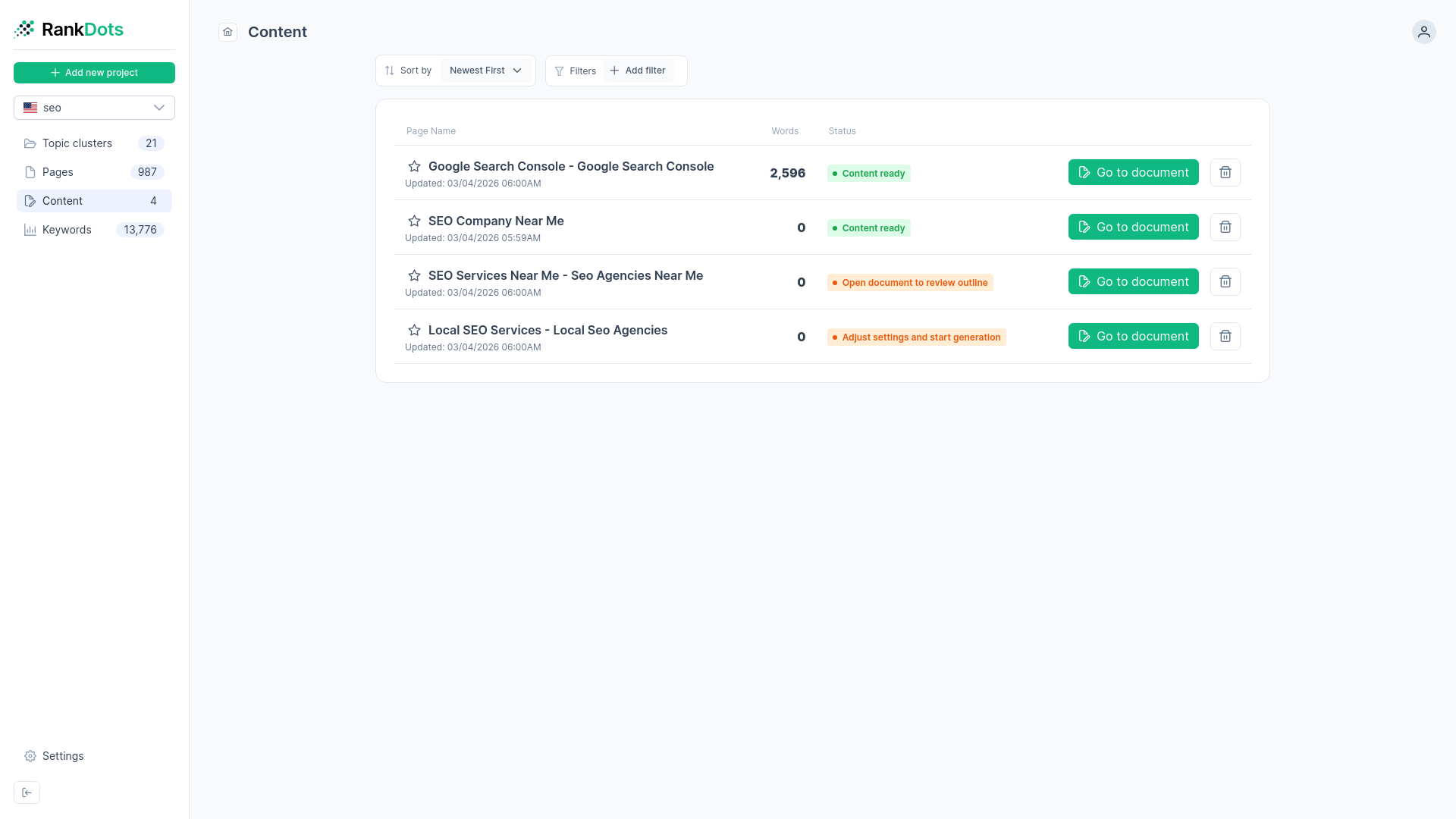
To keep your production moving, RankDots provides a dedicated staging pipeline. Your centralized dashboard tracks pending articles, target word counts, and current workflow status. Tracking these metrics helps you catch editorial bottlenecks before writing begins. You verify the exact project structure before full-length writing ever begins.
The diagram below shows how to automate your brief-to-draft pipeline using live SERP data and structured AI guidelines.
Advanced SERP and Topic Modeling
Reverse-Engineer Top Competitors
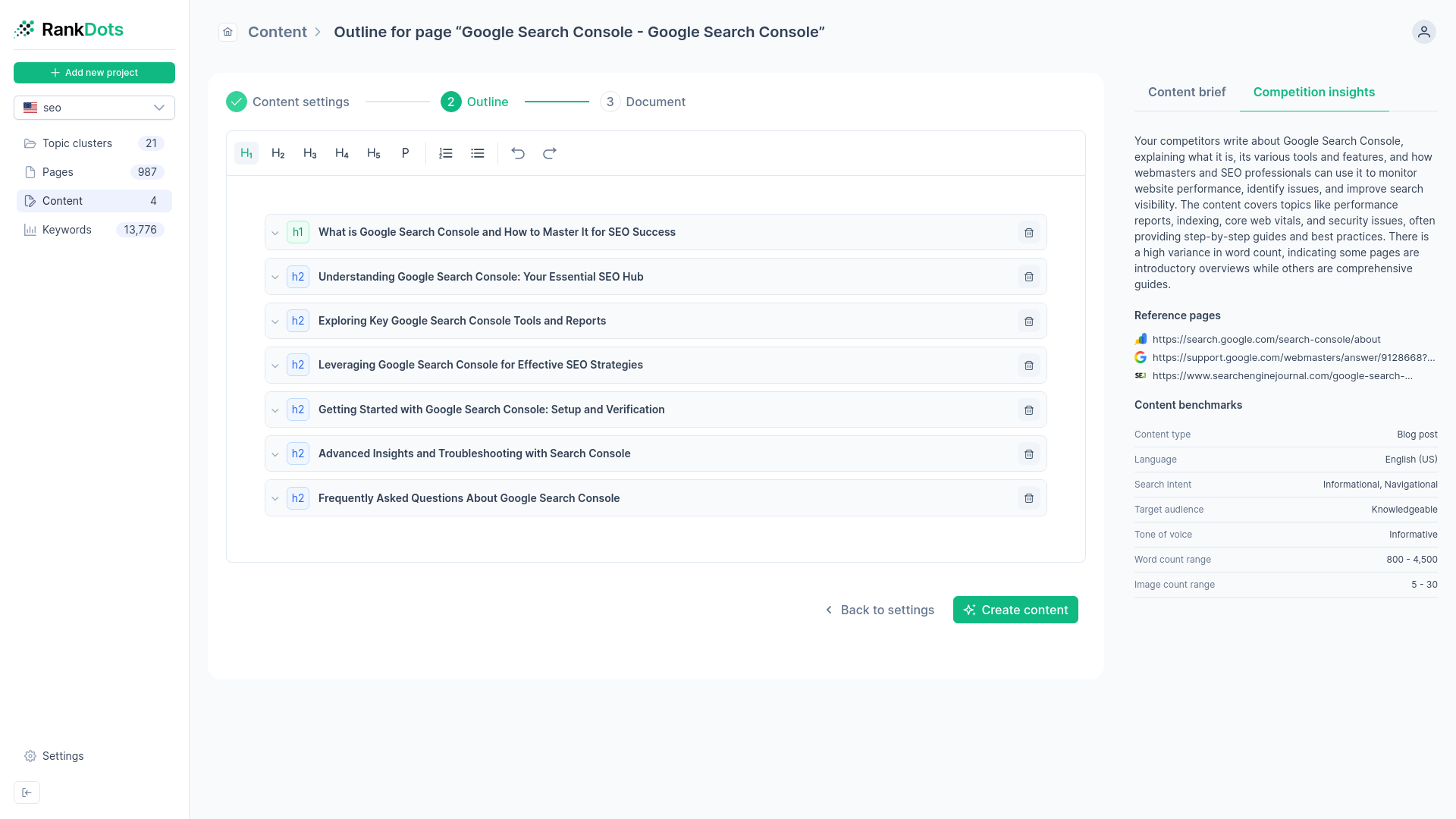
See exactly what top-ranking pages cover before writing. You evaluate competitor formats, word counts, and targeted keywords instantly.
Keyword-Driven Outline Generation
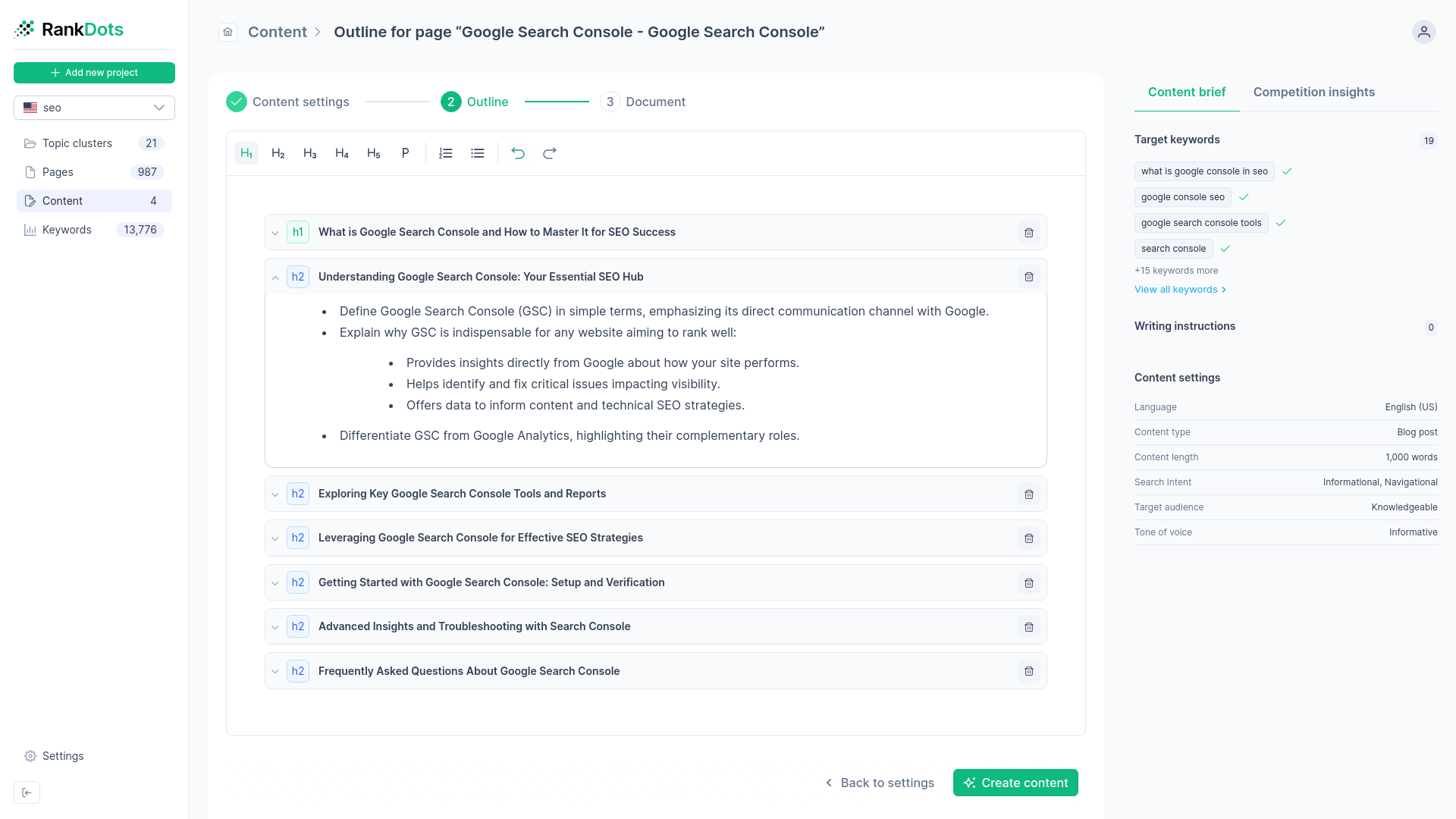
Build H1–H5 frameworks that naturally incorporate high-volume search terms. You map exact user intents directly into your subheadings.
Calibrate Audience and Tone
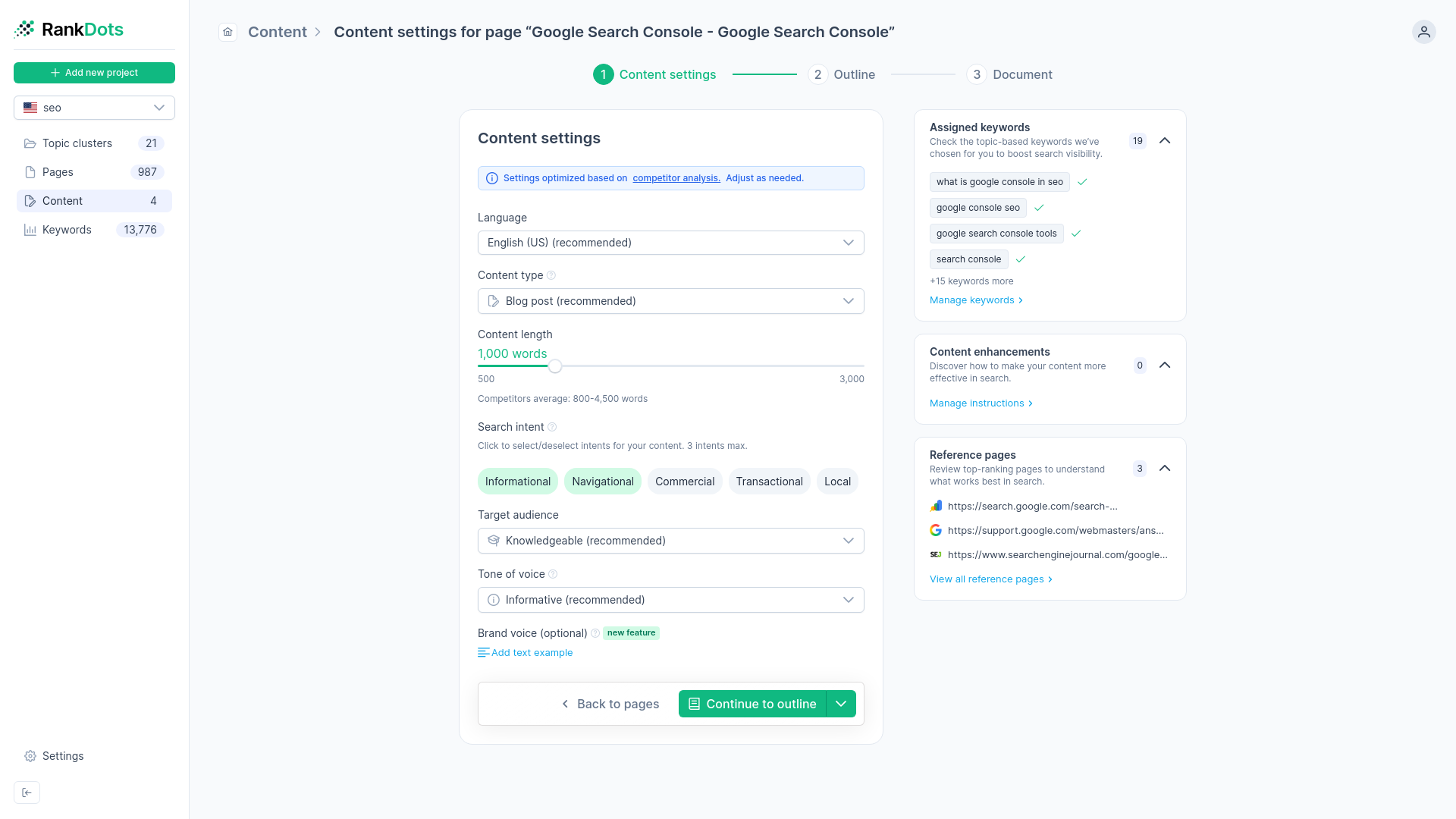
Adjust writing depth, vocabulary, and brand voice. You can target experts or general readers with specific tones like conversational, academic, or persuasive.
Enforced Human Oversight
The RankDots Content Brief Generator requires your approval. A mandatory review stage ensures you configure and calibrate the AI before full-length draft generation begins.
Step-by-step workflow for instant content briefs
Enter a seed keyword
Input your target phrase. The Content Brief Generator immediately queries eight distinct sources to aggregate live search volume and SERP data for your analysis.
Review competitor formats
RankDots shows you exactly what currently ranks. You select the most relevant competitor page to establish a benchmark word count and content format.
Calibrate and generate structure
You control the target audience level and brand tone. The system then maps exact search intents into a complete H1-H5 outline built around top keywords.
Export or write immediately
With the structure verified, you can export the standalone brief for human writers or push it into the AI pipeline for a rapid first draft.
Interactive RankDots Content Brief Interface
Content Brief Staging Dashboard
Audience and Tone Configuration
Competitor Insights Panel
Structured Outline Editor
See why RankDots is #1




Frequently asked questions
What is an AI content brief generator?
What types of content can the brief generator create?
Can I customize or edit the brief generated by the tool?
How can I ensure the AI-generated brief matches my brand voice and tone?
Can I export content briefs to other tools or platforms like Google Docs?
Automate your brief-to-draft pipeline with a topic-first architecture.
Don't map keyword lists manually. Our Content Brief Generator builds hierarchical clusters and structured writing instructions automatically. Create your RankDots account to execute a topic-first strategy and accelerate production.