Map profitable content clusters using our Topic Research Tool
Stop wasting hours organizing flat keyword lists in spreadsheets. RankDots queries eight data sources and builds a complete pillar-and-cluster hierarchy so you can start writing immediately.
You're staring at a chaotic spreadsheet of keywords with identical search volumes, trying to guess which ones actually belong in the same blog post. A Topic Research Tool organizes related search queries into hierarchical topic clusters. It helps you build authoritative pillar pages and subtopics that align with real user search intent, which eliminates flat keyword lists. You get a clear path to a complete topic cluster strategy.
Isolated posts stuffed with single keywords limit your ability to rank. A structured topic cluster approach builds the topical authority required to compete.
RankDots automatically builds a two-level hierarchy of parent topics and subtopics. You'll see exactly how to turn raw search data into a ready-to-use content architecture without touching another CSV file.
Automated content clustering features
Expanded Data Aggregation
While standard platforms rely on one clickstream index, you query eight distinct channels simultaneously. This approach eliminates data blind spots and captures semantic terms competitors miss.
Automated Quality Validation
Stop manually cleaning exported files. The system evaluates every keyword against 13 linguistic rules and automatically discards junk so you skip tedious data cleanup.
URL Intersection Checking
Verify your groupings with actual search engine results. RankDots checks if identical pages rank for multiple queries (a concept known as SERP overlap). This prevents overly broad categories to ensure strict search intent alignment.
Strategic Priority Sorting
Don't settle for basic volume metrics. Rank your new topics using five distinct algorithms to identify clusters that provide the fastest return on effort.
How to generate content ideas without spreadsheets
Launch the Topic Research Tool
Type a broad seed subject, a competitor domain, or a specific URL into the prompt to kick off your initial keyword discovery.
Skip the manual export
The automated pipeline handles data collection, linguistic cleanup, and deduplication behind the scenes so you don't touch a CSV file.
Review the mapped clusters
Evaluate the newly built hierarchy. Every term is already grouped by shared search intent into ready-to-write parent topics and supporting pages.
Choose your starting point
Sort the finalized clusters using live performance metrics and pick the specific topic that projects the highest short-term traffic gain.
Why RankDots beats manual keyword spreadsheets
A single data provider shows only a fraction of the search landscape. To fix this, teams export autocomplete suggestions and related searches into different spreadsheet tabs. RankDots automates that pipeline. As a Topic Discovery Tool, it queries eight distinct data sources simultaneously and deduplicates the data as it arrives. You skip the manual merging.
The platform groups related terms into parent topics and subtopics based on shared search intent. This approach moves you away from flat keyword buckets. You stop staring at scattered ideas and start looking at a mapped-out pillar and cluster architecture.
But which cluster should you write first? Generic keyword difficulty scores don't reflect your specific site's ability to rank. Third-party keyword tool estimations are highly unreliable when compared against actual performance data. We process live search data and evaluate SERP competition relative to your domain.
RankDots converts abstract opportunities into concrete monthly traffic projections per page. The platform removes the guesswork from your return on investment. You know exactly what a topic is worth before you ever assign the brief.
Frequently asked questions
What is a Topic Research Tool?
How do you identify the right topic cluster to write first?
Where do keyword discovery platforms pull their search data from?
Why is it risky to rely on free keyword tools for search volume?
See the Topic Research Tool in action
Interactive Topic Grid
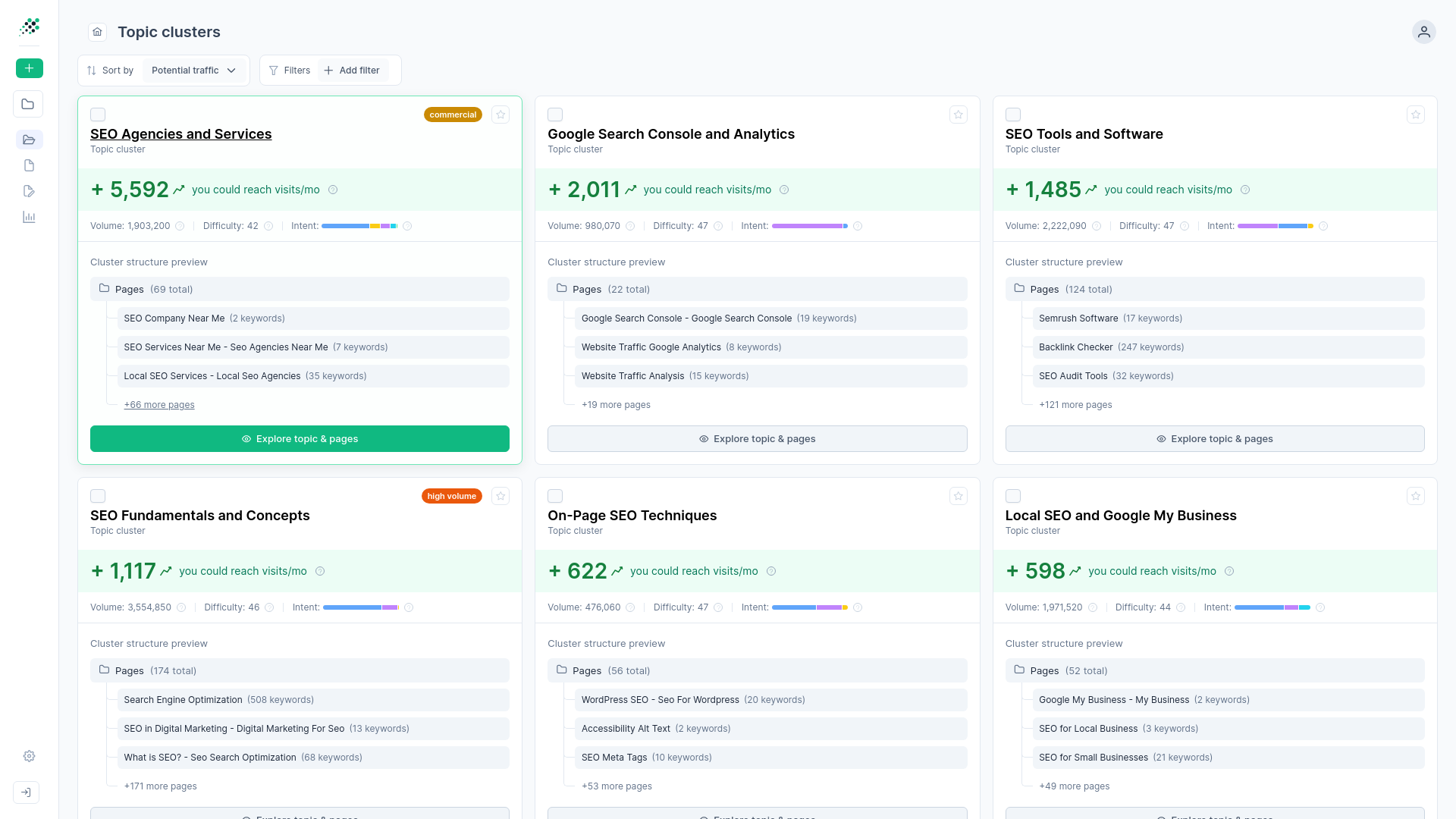
Clear Traffic Projections
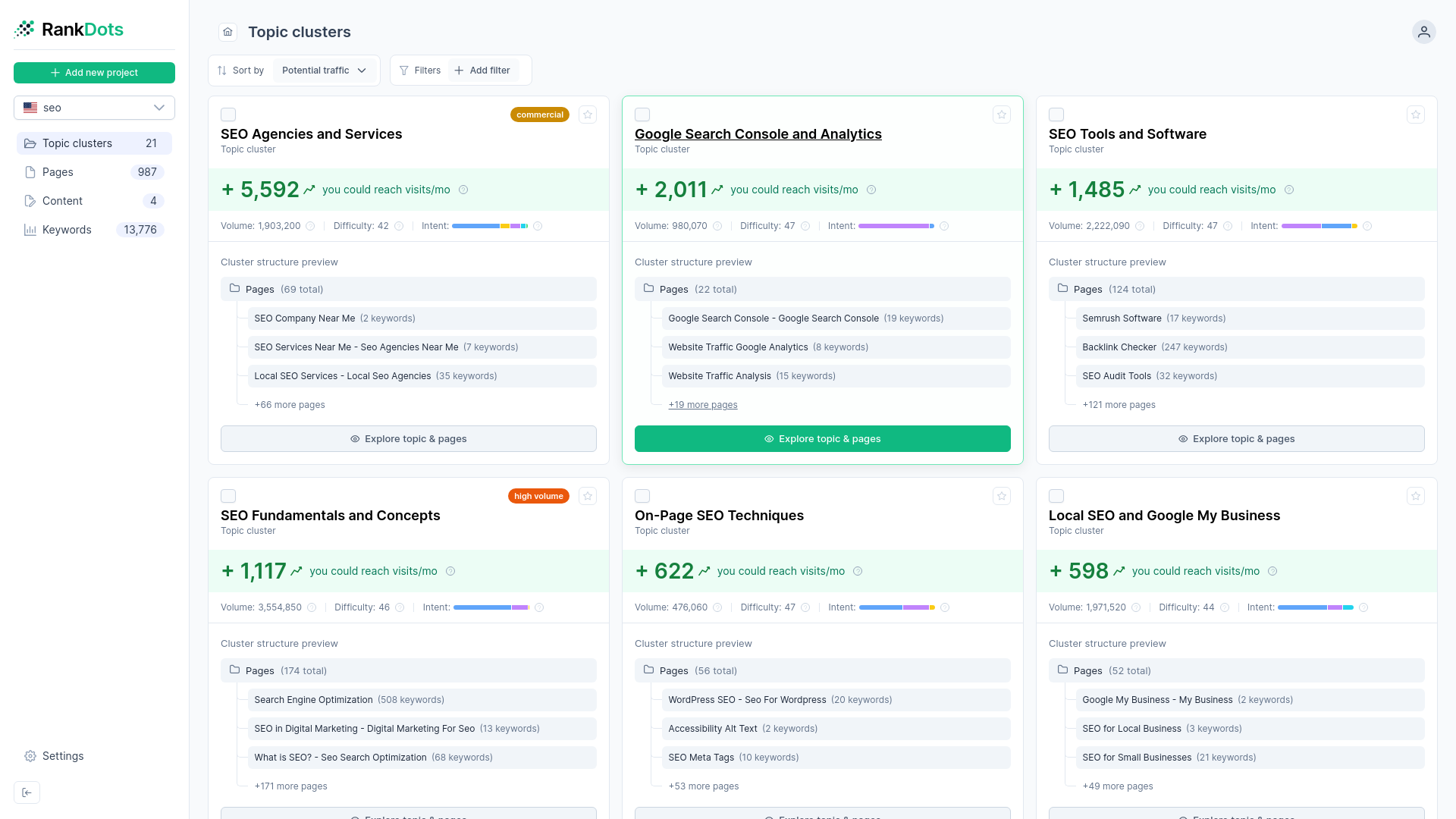
Live SERP Competitor View
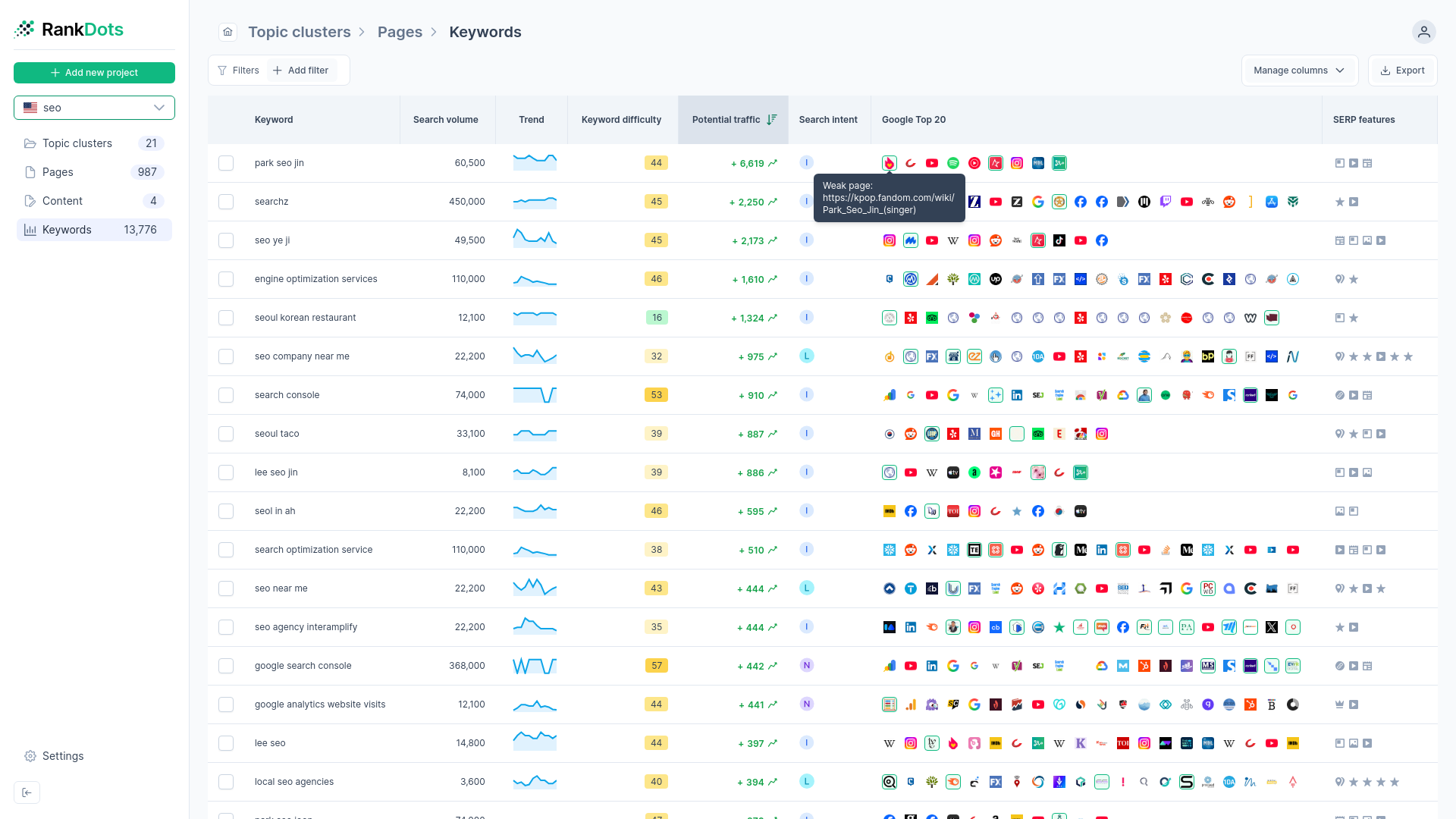
Strategic Sorting Algorithms
Build your authoritative content hierarchy today with RankDots
Trade chaotic spreadsheets for a structured publishing strategy. RankDots maps your exact path to higher traffic and delivers a ready-to-write plan. Stop organizing raw data and start creating.